A2DP Volume download for android 12 (Snow Cone)
APK file A2DP Volume 2.13.0.4 compatible with Android 12How to install APK / APKS / OBB file on Android


* Corrects music stream (A2DP) volume when connected to Bluetooth device and restores it on disconnect. (option)
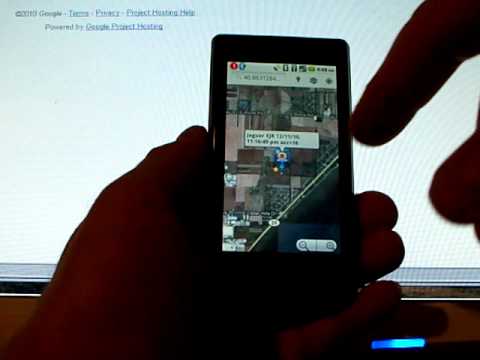
* Captures car location automatically when device disconnects. Automatic car locator. (option)
* Reads notifications while device is connected. (option)
* Automatically launch app, or shortcut when Bluetooth connects. (option)
* Automatically connect to a Bluetooth device when first device connects. Can also automatically enable Bluetooth to do this. This fixes the problem some car stereos have where A2DP media streaming does not automatically connect. (option) Note: Will not initiate first device connection.
* Automatically disable WIFI when device connects. (option)
* Silence notifications while connected. (option)
* Also supports Audio Jack connections, Car Dock, Power Connection, and Home Dock as a virtual device. (option)
* Each device can be independently configured.
* Location for each device is also stored separately.
* Contains widget for finding where you parked your car.
* Contains a widget to initiate Bluetooth connection to A2DP sink (version 2.13.0.0 and up)
Automatically adjusts the media volume on Bluetooth connect and resets on Bluetooth disconnect. Automatically captures location information on disconnect so you can find where you left your car. Location can also be triggered when exiting car mode. Includes location widget to find your car. Can configure to also respond to home dock and audio jack as well. Each device is individually configured. Auto launch app or shortcut on connect. Auto connect another A2DP Bluetooth device after first device connects. Read out notification messages when connected to a device in the list using audio stream and Text To Speech services (see manual for details).
See details here: https://github.com/jroal/a2dpvolume
Bluetooth devices must be paired to be seen by this app. Pair the devices using Android network settings before using this app for Bluetooth. Please read the manual before using: https://github.com/jroal/a2dpvolume/wiki/Manual .
Please post any issues to the issues list https://github.com/jroal/a2dpvolume/issues . I can only fix problems I know about and I need to know the details of the problems to fix them.
This app is free, open source, and contains no ads.
The "stored location" button will retrieve the location of the last Bluetooth device that disconnected while the service was running. Setting the preference "notify in foreground" and "start at boot" will ensure the service is running when needed.
Android 9.0 and up no longer need the media volume adjust feature as this is built into the OS. In fact, if you use the media volume adjustment feature of A2DP Volume it will fight with the volume adjust feature in the OS. Therefore the volume adjustment feature should not be used for Android 9.0 and up devices.
The text message reader can be tricky to set up. Here is some help: https://github.com/jroal/a2dpvolume/wiki/Reading-Messages
All permissions are explained here: https://github.com/jroal/a2dpvolume/wiki/Permissions-Explanation
Here is the change log: https://github.com/jroal/a2dpvolume/wiki/Log-of-Updates
I have no interest in advertising or monetizing this app. Please don't contact me with offers to do so.
See issue details here: https://github.com/jroal/a2dpvolume/issues
- LicenseFree
- File nameA2DP Volume
- File Version2.13.0.4
- Package namea2dp.Vol
- Size2.62 MB
- UploadedSeptember 3, 2019
- Android6.0 or later
- CategoryMaps & Navigation
- DeveloperJimRoal
- Developer site
- Developer emailjroal@comcast.net
- md5 hashc4de3cf38503adeed08dfe75cb2c605b
- Architecture-
- Permissionsshow (15)